Friday, October 14, 2011

Photoshop Tips-modern website


Clean, elegant, and beautiful web design is often a matter of personal perspective. I look at hundreds of websites every week, and several of them stand out to me, but not all of them are necessarily effective.
Too often designers boil a concept down too far, producing a final design that is nothing more than text and a grid. While these minimal designs have their aesthetic appeal, particularly when paired with excellent typography, they risk falling short of notice.
Personal opinions aside, there are certain features of a design that allow it to be proudly labeled as clean or modern and enhance its usability and likability on a universal level. Simplicity is not a design trend, but rather an attribute of good design.
Photoshop grants us a versatile set of tools for creating depth and interest, and invites us to integrate subtle detail where we would leave a blank space. You need only a handful of these tools to infuse the qualities of modern design into a layout. By mastering them, you can create clean designs that express functionality clearly and effectively.

1. Space

White space allows for the visual separation of design elements without the use of boxes, lines, or additional graphics and is possibly the most important aspect of modern design. It is essential to content presentation and readability. When used correctly, white space gives your layout its clean and elegant feel.
Guides and Grids are available in Photoshop to help you position elements precisely. The grid overlays your entire document whereas the guides can be set manually. Use guidelines early to set invisible borders, margins, and padding used to define your white space.
Create a guide by hitting Ctrl+R (Win) or Cmd+R (Mac) to enable the ruler and then click the top or left ruler to drag a guideline to your desired position. Here are some additional shortcuts to help you manage guides while you work:
  • To move a guideline: Ctrl(Win) or Cmd(Mac) and click the guide
  • Show/Hide guides: Hit Ctrl+; (Win) or Cmd+; (Mac)
  • Show/Hide the grid: Hit Ctrl+’ (Win) or Cmd+’ (Mac)

Enable your Smart Guides under View > Show > Smart Guides. Smart Guides appear automatically when you draw a shape, align text, or create a selection or slide and will save you the work of setting up guidelines for these elements in advance.
Aligning objects using guides and grids makes your design easier to digest and will give the overall result a more polished look.

2. Depth

Depth created with light and shadow makes your elements appear crisp and real. Shadow effects can be applied to any object, selection, or text layer, but the trick is to choose a color that matches the background and forgo the default black.

Not all shadows must be dark. Combine the Inner Shadow effect with a white or light-colored Drop Shadow to create a sunken or “letterpress” feel with text or form fields.


3. Detail

Both the gradient tool and the gradient layer effects play a large role in clean and modern design. Gradients are present in every aspect of modern styling, from shadows and highlights to backgrounds and buttons.
To access the gradient tool, hit Shift+G. To create a gradient, click the canvas, drag, and release. This tool is best used for large areas such as backgrounds, lights, or radial shadows. When working with individual elements such as sections, buttons, or icons, the Gradient Overlay layer effect is a more efficient means of establishing surface styles or textures. This tool is accessed by double-clicking the element layer and selecting the “Gradient Overlay” checkbox.

Use this effect to give subtle dimension to your buttons and navigation bars, or to mimic the style and texture of paper or metals.


4. Definition

By over-defining edges and borders, you ensure your elements have proper contrast.
The Stroke layer effect will outline elements such as text or buttons where you need an equally weighted outline on all sides. Using this effect will free up the Inner and Drop shadows to extend your options.

It is tempting to head for the pen tool to draw straight lines and horizontal rules, but if you want to apply gradients or shadows to the line, it is easier to use the Single Row Marquee Tool, which is tucked discreetly behind the Rectangular Marquee Tool. Use the Single Row tool on a new layer and a white or light-colored drop shadow to create highlight lines along section borders or separators where you are not able to apply an effect to the element itself.

5. Interest

Clean and modern does not need to equal boring, white, or minimal. Clever use of texture and pattern will make your design stand out, while communicating style and brand. Use subtle techniques such as adding noise (Filter > Add Noise) or the Texture Overlay layer effect on background areas or interface elements to help set them apart. The more real and clear an element appears, the more enticing it is to the viewer.


6. Perspective

Perspective is the most underused technique in modern web design simply because ongoing trends focus consistently on symmetry and grids. By applying perspective to images and elements in your design, you can introduce depth, dimension, modernism, and interest to your design in one easy step.
Perspective can be given to any shape or image by choosing the “Free Transform Path” option in the right-click menu and clicking the “Warp” button located in the tool options bar.

The illusion of perspective can also be produced by creating asymmetrical shapes or frames and using gradients and shadows appropriately to place the objects apart.


7. Readability

Strong type is well loved in the design community, and an even stronger component of clean design. It can replace imagery and graphics that may otherwise overcomplicate a design and convey the total essence of the above techniques in a simple and straightforward way.
To add textures to text, convert your text layer to a Smart Object first by right clicking the layer and choosing “Convert to Smart Object.” You are limited to layer effects by default unless your text is rasterized, a practice you want to avoid, even when designing for the screen. Converting to Smart Objects allows you to apply filters and other techniques to the text while preserving your editing capabilities in the event you need to change what the text says later.
Remember that you have tracking and kerning options available to you when setting up text elements. Even if your text is destined to be reproduced in CSS, you should experiment with line and letter spacing early on to better visualize how your content will appear within the space you have given it. Also, remember to use “Crisp” or “Sharp” text to retain definition and clarity.

How you present your content in clean design is more important than any other style simply because there is less going on visually to distract the viewer. By using the tips above to space text and objects appropriately, add definition and interest, and set the content apart from the interface, your design will achieve optimal effectiveness.


Vail is a long-time writer, designer and copy editor with a vibrant background in corporate business writing, music journalism and internet media design. Since 1996, her articles and photography have been published in various music magazines, poetry compilations, and business publications. When she is not hard at work designing something, she loves writing for Wix.com, the free website builder.
What do you think of these tips and do you have others you use on a regular basis? Please share below…

Source

HTML5

Rockstar Working

Website of Egyptian web designer and front-end developer, Ahmad Ali.
The header contains am unnecessary section element to contain the social media links. The content area is split up into separate areas which are ideal for using the section element, but use divs instead.
Remember that the type attribute is no longer required in the link stylesheet element.
Website Screenshot
URL: http://www.rockstarworking.com/

Gimme Money I Can Do It!!

Website of a small independent web design studio based in Buenos Aires, Argentina.
This site suffers a bit from “div-itis” and using section elements for the sake of using them rather than semantically. The work area sub-navigation links shouldn’t be contained within a nav element as they’re not the main navigation of the site. The duplicated navigation in the footer should also not be contained within a nav for the same reason.
The contact form could have made use of some of the new input types, and for some reason it also uses a table for the textarea which is disappointing.
Website Screenshot
URL: http://www.gimmemoneyicandoit.com/

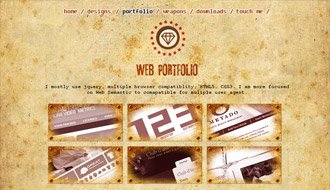
phawk

Personal website and blog of Pete Hawkins, a designer and developer from Belfast.
Nice clean use of the major HTML5 structural elements although I’d question the use of the small element to enclode the dates in the journal. The time element should have been used instead. Each of the journal and work entries are contained within an article which is internally split into sections.
Remember that the type attribute is no longer required for the script and link stylesheet elements.
Website Screenshot
URL: http://phawk.co.uk/

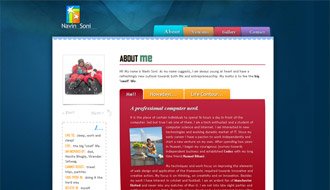
Navin Soni

Personal website of tech enthusiast Navin Soni, based in Kolkata, India.
The h1 doesn’t need to be contained within a hgroup as it’s on its own, and the same goes for the single h1 elements contained within a header. There are also a number of section elements being used as styling containers where div elements would be more appropriate. The article elements in the left aside don’t make semantic sense, and a div would have sufficed.
Website Screenshot
URL: http://navinsoni.in/

Hira Kumar Maharjan

Website of web designer Hira Kumar Maharjan.
The site header is nice and clean, with the primary navigation contained within a nav and the h1 and h2 enclosed within a hgroup. The h1 within the section doesn’t need to be enclosed within a header element, although there’s nothing wrong with doing so.
Remember that the type attribute is no longer required in the script and link stylesheet elements.
Website Screenshot
URL: http://www.hirakumar.com.np

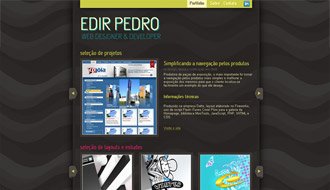
Edir Pedro

Website of Brazilian based web designer and developer, Edir Pedro.
A good example of the nav element being used to contain a number of links rather than a list. The article elements should all have a semantic heading, otherwise a div should be used.
The small element could have been used to enclose the main footer copyright information
Website Screenshot
URL: http://edirpedro.com.br/

Why Google Dart Will Miss Its Target

Dart is Google’s new programming language designed for creating structured web applications. You’ll be able to run it on the server but it’ll also run on the client. In a browser.
Depending on what you read, Google has both admitted and denied that Dart is a replacement for JavaScript. However, Chrome will shortly be able to use either language and, given the choice, I’m sure Google would prefer developers used a solution they control.
I was initially skeptical about Dart but reserved judgment until more information was available. I can now categorically state that it’s almost certain to fail in the same way VBScript did in Internet Explorer.

Dart’s Goals

Dart is an open source project with the following design goals:
1. Create a structured yet flexible programming language for the web.
Great. But what’s wrong with all the other structured and flexible languages? One of the web’s greatest benefits is you can use any server-side language you like: PHP, C#, VB, Perl, Java, Ruby, Python, etc.
There’s always room for improvement but we’re spoiled for choice. Dart doesn’t offer something different — just an alternative.
2. Make Dart feel familiar and natural to programmers and thus easy to learn
Syntactically, Dart is very similar to Java, C++ and C#. So why didn’t Google simply adopt one of those languages? That would have made it even easier to learn.
3. Make Dart appropriate for the full range of devices.
Google has stated that they’re “up against fragmented mobile platforms”. Wouldn’t another language fragment it further?
It’s possible Google will create a native Dart runtime for Android. Perhaps they’ll even create a version for Windows phones. What about Apple — the most successful smartphone vendor? Not a chance.
4. Provide tools that make Dart run fast across all major modern browsers.
Will Microsoft, Mozilla, Apple or Opera add native Dart clients to their browsers? It’s unlikely.
Google could create plugins for those platforms but web developers won’t write Dart code until the plugin has a wide installation base. Unfortunately, users won’t install the plugin until compelling applications have been developed using Dart. Catch-22.

JavaScript Compilation

Google doesn’t actually need to a Dart plugin since they’ve created a compiler which translates Dart code to native JavaScript.
Before you get too excited, take a look at a compiled Dart “Hello World” program. Nine lines of Dart code is successfully compiled to … 17,259 lines of JavaScript.
I’m sure that situation will improve. Even today, it could be run through Google’s Closure Compiler to make the code more efficient. But the fact remains that native JavaScript written by a half-decent JavaScript developer will always beat compiled Dart code.
Even if you do develop in Dart, you’ll probably want to drop into JavaScript at certain points to improve efficiency. But if you can already write good quality JavaScript, why would you develop in Dart? Catch-22-2.

Show JavaScript Some Love

It’s clear from Google’s documentation that Dart is aimed at developers who dislike JavaScript.
Despite being the world’s most-used programming language, JavaScript is the most misunderstood. The name doesn’t help — it’s neither Java or script — but the biggest cause of bad press comes from professional programmers.
Initially, JavaScript looks a little like C++ or Java. Developers with knowledge of those languages hunt through the manuals for the class syntax only to find it doesn’t exist. They conclude JavaScript is awful or attempt to force classical inheritance techniques into their code.
I implore you to persevere. JavaScript is flexible and allows you to write code in a number of ways. Once you understand concepts such as prototypal inheritance, JavaScript will earn your respect. It may not be perfect but class-based languages soon begin to feel clunky.
Don’t expect it to happen overnight. It took more than a decade for developers to rediscover the beauty of JavaScript. Fortunately, there are many fabulous resources on the web and JavaScript is recognized as a first-class language.

Because You Can’t Fight it

The major problem for Dart is that JavaScript is everywhere; from humble mobile phones, to Apple iPads, to modern desktop browsers. Microsoft is even making HTML5 and JavaScript key technologies for application development in Windows 8.
Even if Chrome reached 50% market share, would you develop in a language which was supported everywhere or on just half of all devices? Perhaps it would have stood a chance if it was released a decade ago, JavaScript was utterly terrible or Dart was revolutionary. None are true.
I’m glad Google continues to innovate but Dart feels like a backward step. You may dislike JavaScript, detest HTML and despise CSS — but, to be a web developer, you can’t avoid them.

Thursday, October 13, 2011

HTML5

HTML5

From Wikipedia, the free encyclopedia
HTML5 (HyperText Markup Language)
HTML5-logo.svg
Filename extension .html, .htm
Internet media type text/html
Type code TEXT
Uniform Type Identifier public.html
Developed by World Wide Web Consortium and WHATWG
Type of format Markup language
Extended from SGML
Extended to XHTML5
Open format? Yes
Website whatwg.org/html
w3.org/TR/html5/
XHTML5
Filename extension .xhtml, .xht, .xml, .html, .htm
Internet media type application/xml, application/xhtml+xml
Developed by World Wide Web Consortium and WHATWG
Type of format Markup language
Extended from XML, HTML5
Open format? Yes
Website whatwg.org/specs/web-apps/current-work/multipage/the-xhtml-syntax.html
HTML
This box: view · talk · edit
HTML5 is a language for structuring and presenting content for the World Wide Web, a core technology of the Internet originally proposed by Opera Software [1]. It is the fifth revision of the HTML standard (created in 1990 and standardized as HTML4 as of 1997[2]) and as of October 2011 is still under development. Its core aims have been to improve the language with support for the latest multimedia while keeping it easily readable by humans and consistently understood by computers and devices (web browsers, parsers, etc.). HTML5 is intended to subsume not only HTML4, but XHTML1 and DOM2HTML (particularly JavaScript) as well.[2]
Following its immediate predecessors HTML 4.01 and XHTML 1.1, HTML5 is a response to the observation that the HTML and XHTML in common use on the World Wide Web is a mixture of features introduced by various specifications, along with those introduced by software products such as web browsers, those established by common practice, and the many syntax errors in existing web documents. It is also an attempt to define a single markup language that can be written in either HTML or XHTML syntax. It includes detailed processing models to encourage more interoperable implementations; it extends, improves and rationalises the markup available for documents, and introduces markup and application programming interfaces (API)s for complex web applications.[3]. For the same reasons, HTML5 is also a potential candidate for cross-platform mobile applications. Many features of HTML 5 have been built with the consideration of being able to run on low-powered devices such as smart phones and tablets.
In particular, HTML5 adds many new syntactical features. These include the <video>, <audio>, <header> and <canvas> elements, as well as the integration of SVG content that replaces the uses of generic <object> tags. These features are designed to make it easy to include and handle multimedia and graphical content on the web without having to resort to proprietary plugins and APIs. Other new elements, such as <section>, <article>, <header> and <nav>, are designed to enrich the semantic content of documents. New attributes have been introduced for the same purpose, while some elements and attributes have been removed. Some elements, such as <a>, <cite> and <menu> have been changed, redefined or standardized. The APIs and document object model (DOM) are no longer afterthoughts, but are fundamental parts of the HTML5 specification.[3] HTML5 also defines in some detail the required processing for invalid documents so that syntax errors will be treated uniformly by all conforming browsers and other user agents.[4]

Contents

 [hide

[edit] History

The Web Hypertext Application Technology Working Group (WHATWG) began work on the new standard in 2004, when the World Wide Web Consortium (W3C) was focusing future developments on XHTML 2.0, and HTML 4.01 had not been updated since 2000.[5] In 2009, the W3C allowed the XHTML 2.0 Working Group's charter to expire and decided not to renew it. W3C and WHATWG are currently working together on the development of HTML5.[6]
Even though HTML5 has been well known among web developers for years, it became the topic of mainstream media in April 2010[7][8][9][10] after Apple Inc's then-CEO Steve Jobs issued a public letter titled "Thoughts on Flash" where he concludes that Adobe "Flash is no longer necessary to watch video or consume any kind of web content" and that "new open standards created in the mobile era, such as HTML5, will win".[11] This sparked a debate in web development circles where some suggested that while HTML5 provides enhanced functionality, developers must consider the varying browser support of the different parts of the standard as well as other functionality differences between HTML5 and Flash.[12]

[edit] W3C standardization process

WHATWG started work on the specification in June 2004 under the name Web Applications 1.0.[13] As of January 2011, the specification is in the Draft Standard state at the WHATWG, and in Working Draft state at the W3C. Ian Hickson of Google is the editor of HTML5.[14]
The HTML5 specification was adopted as the starting point of the work of the new HTML working group of the World Wide Web Consortium (W3C) in 2007. This working group published the First Public Working Draft of the specification on 22 January 2008.[15] The specification is an ongoing work, and is expected to remain so for many years, although parts of HTML5 are going to be finished and implemented in browsers before the whole specification reaches final Recommendation status.[16]
According to the W3C timetable, it was estimated that HTML5 would reach W3C Recommendation by late 2010. However, the First Public Working Draft estimate was missed by eight months, and Last Call and Candidate Recommendation were expected to be reached in 2008,[17] but as of January 2011 HTML5 is still at Working Draft stage in the W3C.[18] HTML5 has been at Last Call in the WHATWG since October 2009.[19][20]
Ian Hickson, editor of the HTML5 specification, expects the specification to reach the Candidate Recommendation stage during 2012.[21] The criterion for the specification becoming a W3C Recommendation is “two 100% complete and fully interoperable implementations”.[21] In an interview with TechRepublic, Hickson guessed that this would occur in the year 2022 or later.[22] However, many parts of the specification are stable and may be implemented in products:
Some sections are already relatively stable and there are implementations that are already quite close to completion, and those features can be used today (e.g. <canvas>).
WHAT Working Group, When will HTML5 be finished?[21], FAQ
In December 2009, WHATWG switched to an unversioned development model for the HTML5 specification.[23] W3C will still continue with publishing a snapshot of the HTML5 specification.[24]
On 14 February 2011, the W3C extended the charter of its HTML Working Group with clear milestones for HTML5. The Working Group is expected to advance HTML5 to "Last Call", an invitation to communities inside and outside W3C to confirm the technical soundness of the specification, in May 2011. The group will then shift focus to gathering implementation experience. W3C is also developing a comprehensive test suite to achieve broad interoperability for the full specification by 2014, which is now the target date for Recommendation.[25]
Even as innovation continues, advancing HTML5 to Recommendation provides the entire Web ecosystem with a stable, tested, interoperable standard. The decision to schedule the HTML5 Last Call for May 2011 was an important step in setting industry expectations. Today we take the next step, announcing 2014 as the target for Recommendation.
Jeff Jaffe, Chief Executive Officer, World Wide Web Consortium[25]

[edit] Markup

HTML5 introduces a number of new elements and attributes that reflect typical usage on modern websites. Some of them are semantic replacements for common uses of generic block (<div>) and inline (<span>) elements, for example <nav> (website navigation block), <footer> (usually referring to bottom of web page or to last lines of HTML code), or <audio> and <video> instead of <object>.[26][27][28] Some deprecated elements from HTML 4.01 have been dropped, including purely presentational elements such as <font> and <center>, whose effects are achieved using Cascading Style Sheets. There is also a renewed emphasis on the importance of DOM scripting (e.g., JavaScript) in Web behavior.
The HTML5 syntax is no longer based on SGML despite the similarity of its markup. It has, however, been designed to be backward compatible with common parsing of older versions of HTML. It comes with a new introductory line that looks like an SGML document type declaration, <!DOCTYPE html>, which triggers the standards-compliant rendering mode.[29] As of 5 January 2009, HTML5 also includes Web Forms 2.0, a previously separate WHATWG specification.

[edit] New APIs

In addition to specifying markup, HTML5 specifies scripting application programming interfaces (APIs).[30] Existing document object model (DOM) interfaces are extended and de facto features documented. There are also new APIs, such as:
Not all of the above technologies are included in the W3C HTML5 specification, though they are in the WHATWG HTML specification.[34] Some related technologies, which are not part of either the W3C HTML5 or the WHATWG HTML specification, are as follows. The W3C publishes specifications for these separately.
A common misconception is that HTML5 can provide animation within web pages, which is untrue. Either JavaScript or CSS3 is necessary for animating HTML elements. Animation is also possible using JavaScript and HTML 4[40][not in citation given], and within SVG elements through SMIL, although browser support of the latter remains uneven as of 2011.

[edit] XHTML5

XHTML5 is the XML serialization of HTML5. XML documents must be served with an XML Internet media type such as application/xhtml+xml or application/xml.[41] XHTML5 requires XML's strict, well-formed syntax. The choice between HTML5 and XHTML5 boils down to the choice of a MIME/content type: the media type you choose determines what type of document should be used.[42] In XHTML5 the HTML5 doctype html is optional and may simply be omitted.[43] HTML that has been written to conform to both the HTML and XHTML specifications—and which will therefore produce the same DOM tree whether parsed as HTML or XML—is termed "polyglot markup".[44]

[edit] Error handling

An HTML5 (text/html) browser will be flexible in handling incorrect syntax. HTML5 is designed so that old browsers can safely ignore new HTML5 constructs. In contrast to HTML 4.01, the HTML5 specification gives detailed rules for lexing and parsing, with the intent that different compliant browsers will produce the same result in the case of incorrect syntax.[45] Although HTML5 now defines a consistent behavior for "tag soup" documents, those documents are not regarded as conforming to the HTML5 standard.[45]

[edit] Differences with HTML 4.01 and XHTML 1.x

The following is a cursory list of differences and some specific examples.
  • New parsing rules: oriented towards flexible parsing and compatibility; not based on SGML
  • Ability to use inline SVG and MathML in text/html
  • New elements: article, aside, audio, bdo, canvas, command, datalist, details, embed, figcaption, figure, footer, header, hgroup, keygen, mark, meter, nav, output, progress, rp, rt, ruby, section, source, summary, time, video, wbr
  • New types of form controls: dates and times, email, url, search, number, range, tel, color[46]
  • New attributes: charset (on meta), async (on script)
  • Global attributes (that can be applied for every element): id, tabindex, hidden, data-* (custom data attributes)
  • Deprecated elements will be dropped altogether: acronym, applet, basefont, big, center, dir, font, frame, frameset, isindex, noframes, strike, tt
dev.w3.org provides the latest Editors Draft (last dated 10 May 2011) of "HTML5 differences from HTML4",[47] which provides a complete outline of additions, removals and changes between HTML5.

[edit]


The W3C HTML5 logo
On 18 January 2011, the W3C introduced a logo to represent the use of or interest in HTML5. Unlike other badges previously issued by the W3C, it does not imply validity or conformance to a certain standard. As of 1 April 2011, this logo is official.[48]
When initially presenting it to the public, the W3C announced the HTML5 logo as a "general-purpose visual identity for a broad set of open web technologies, including HTML5, CSS, SVG, WOFF, and others".[49] Some web standard advocates, including The Web Standards Project, criticised that definition of "HTML5" as an umbrella term, pointing out the blurring of terminology and the potential for miscommunication.[49] Three days later, the W3C responded to community feedback and changed the logo's definition, dropping the enumeration of related technologies.[50] The W3C then said the logo "represents HTML5, the cornerstone for modern Web applications".[48]

Wednesday, October 12, 2011

Web-design

Web design is the process of planning and creating a website. Text, images, digital media and programming elements are shaped by the web designer to produce the page seen on the web browser. Web designers utilize markup language, most notably HTML for structure and CSS for presentation to develop pages that can be read by web browsers. In the world of Web 2.0 other programming languages, such as javaScript, Ruby on Rails, PHP, ASP.net, and Perl, are used to develop websites that are both interactive and engaging.
As a whole, the process of web design includes conceptualization, planning, post-production, research, advertising as well as media control that is applied to the pages within the site by the designer or group of designers with a specific purpose. The site itself can be divided into its main page, also known as the home page, which cites the main objective as well as highlights of the site's daily updates; which also contains hyperlinks that functions to direct viewers to a designated page within the site's domain.

Changes and updates

Initial website designs normally need small tweaks and changes after they go live, but major updates and re-designs may be undertaken periodically.
Changes to websites almost always provoke a backlash from its regular users. The reason for this is primarily that change is disruptive to the user: for example, the link that the user previously learned was always in the lower left corner is now "missing", and the user must search the page to discover its new location. The user is disoriented, frustrated, slowed down, and needs time to learn and adapt to the new arrangement. On websites with users who spend significant amounts of time each day using, like Facebook or Wikipedia, users normally respond to even moderate changes with noisy protests and empty threats to leave the website.
Within a few weeks or months, however, most users have adapted to the changes and no longer object to them. For example, the signature feature of Facebook, a news feed, drew millions of complaints when it first appeared, but users now say that it is an important and highly desirable feature.
Major websites may try to minimize this with phased rollouts of changes, testing the new design with a small number of randomly selected users, describing the importance of the upcoming changes in advance, and offering users the option of keeping the old design until they have acclimated to the new one. However, the primary cure for complaints is simply to wait.source from wikipedia